
What is Trade One by Angel One?

What is Trade One?
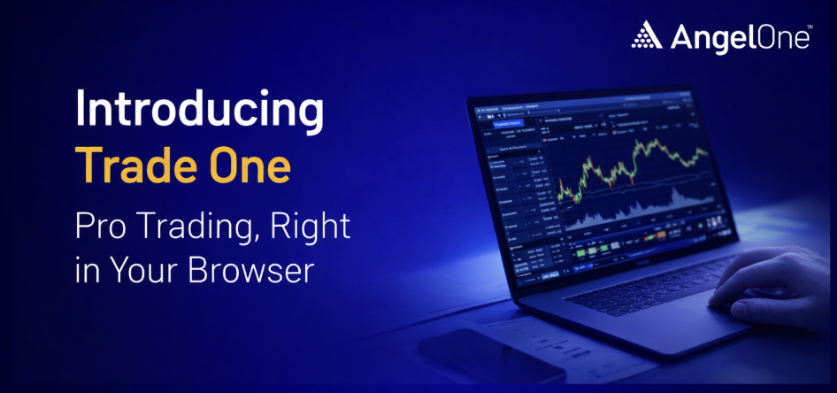
Trade One is an online new interface on Angel One that enables you to make trading orders without interruptions by becoming a sophisticated channel for traders.
How to access Trade One?
- Login to Angel One Web
- Enter Trade One
Why We Upgraded the Web Platform?
Mostly platforms still rely on fragmented multi-tab workflows or overly complex interfaces.
A gap exists for a platform that- reduces navigation costs, creates a unified space for advanced traders, and supports high-speed execution on the web.
This is the gap Trade One fills.
What’s New in Trade One?
- Unified Trading Workspace
- Trade One capabilities are now integrated into the default web mode.
- Users no longer need to open multiple tabs or switch pages to access Orders, Positions, Watchlist, Market Depth, Option Chain, Charts, etc.
- Customizable Layout (Docking/Resizing)
- All panels/widgets can be docked, undocked, resized, and arranged as per user preference.
- Power users can build their own layout based on their trading workflow.
- Easy Access to Special Modes
- Scalper Mode and Fullscreen Mode are now directly accessible from charts.
- People can switch to Fullscreen mode to create a high focus environment eliminating all unnecessary browser options, tabs etc with access to all the important trading elements on the right panel.
- Perfect for Active Traders
- This upgrade is primarily for high-intent users: F&O traders, intraday traders, index scalpers, etc.
Key Changes in Layout & Navigation
- A unified workspace: Where charts, orders, positions, watchlists, and insights sit together — built for traders who don’t want to lose even a second.
- Trade One: It gives traders everything they need — analysis, execution, tracking — on a single screen
- Scalper Mode: A precision environment for high-speed options trading, built to reduce reaction time and boost execution efficiency. For those who trade even faster, Scalper Mode offers an ultra-focused, minimal interface built for instant entries and exits.
Advantages of Trade One:
- Unified workflow: One workspace for charts, orders, positions, watchlists, and more. It reduces navigation and keeps traders in flow.
- Built for speed: Quick order placement, one-click actions, seconds charts, and minimized latency.
- Customizable by design: Dockable panels, floating widgets, full screen mode — traders can construct their ideal setup.
- Designed for different trading styles: Trade One for full-context workflows. Scalper Mode for ultra-fast options decisions.
- A platform that grows with the trader: From intermediate intraday traders to high-frequency scalpers, the workspace adapts.
How the Unified Workspace Helps Traders?
- One single platform for all instruments: No more tab hopping. With Trade One, watchlists, charts, and orders to live together — so you trade faster, smarter, simpler.
- Advanced tools and features combined: Charts, orders, derivatives, fund tracking, etc. on the same platform, you get real-time charting, order placement (limit, market, stop-loss, GTT etc.),
- Faster decision-making and execution: You can place orders directly from charts, use smart orders, and have everything in one place — there is less delay or context-switching. That helps especially if you trade intraday options or respond quickly to market moves.
With all these powerful features, there’s no reason not to start using the Trade One interface today. Log in to Angel One Web and navigate to the Trade One interface to start trading seamlessly!
‘Investments in securities market are subject to market risks, read all the related documents carefully before investing.’
Published on: Apr 1, 2026, 3:38 PM IST

Team Angel One

- Angel One Integrates TradingView Access for Clients: Here is What the New Trading Setup Includes
- Angel One and ClearTax Are Making Sure Your FY26 Tax Filing Is One Less Thing to Worry About
- Market Price Protection (MPP) on Angel One: Safeguarding Your Orders
- Angel One explains how to start trading in 1 hour
- Explore the power of ARQ – The revolutionary investment engine by Angel One
Related Articles



Enjoy ₹0 Account Opening Charges
Get the link to download the App


