Buy upto 4x more shares!
Trade Now with MTF

What is MTF?
How Does Margin Trading Facility (MTF) Work?
MTF is a facility that allows you to buy up to 4x more shares than your current cash balance by borrowing the remaining amount from Angel One.

₹10,000
You Pay

₹30,000
Angel One Funds

₹40,000
Buy Stocks Worth
Let's see how you benefit with MTF
Let's say you have ₹10,000 cash in your account and want to buy LIC shares trading at ₹1,000. You expect the stock price to increase by 10% to ₹1,100 in 10 days.
Here's how MTF benefits you:Note:Be aware that as MTF helps you buy more shares to increase potential gains, there is a chance of higher potential losses too. Thus, if the stock price decreases by 10% here, your loss will be ₹ 4000 (10% of the Total Purchase Value of ₹ 40000)
*Any stocks mentioned are for informational purpose only and is not a recommendation
What are the charges for MTF?
The charges associated with MTF are as follows
- 1. Interest Charges: 0.041% per day on the borrowed amount.(Borrowed amount = Total purchase value – the cash value you paid)
- 2. Brokerage: 0.1% or ₹20 whichever is lower.Minimum brokerage of ₹2 is applicable on buy and sell orders.
- 3. Pledge/Unpledge Charges: A charge of ₹20 + GST is applicable per request, per ISIN, for every pledging and unpledging request, irrespective of the quantity involved.
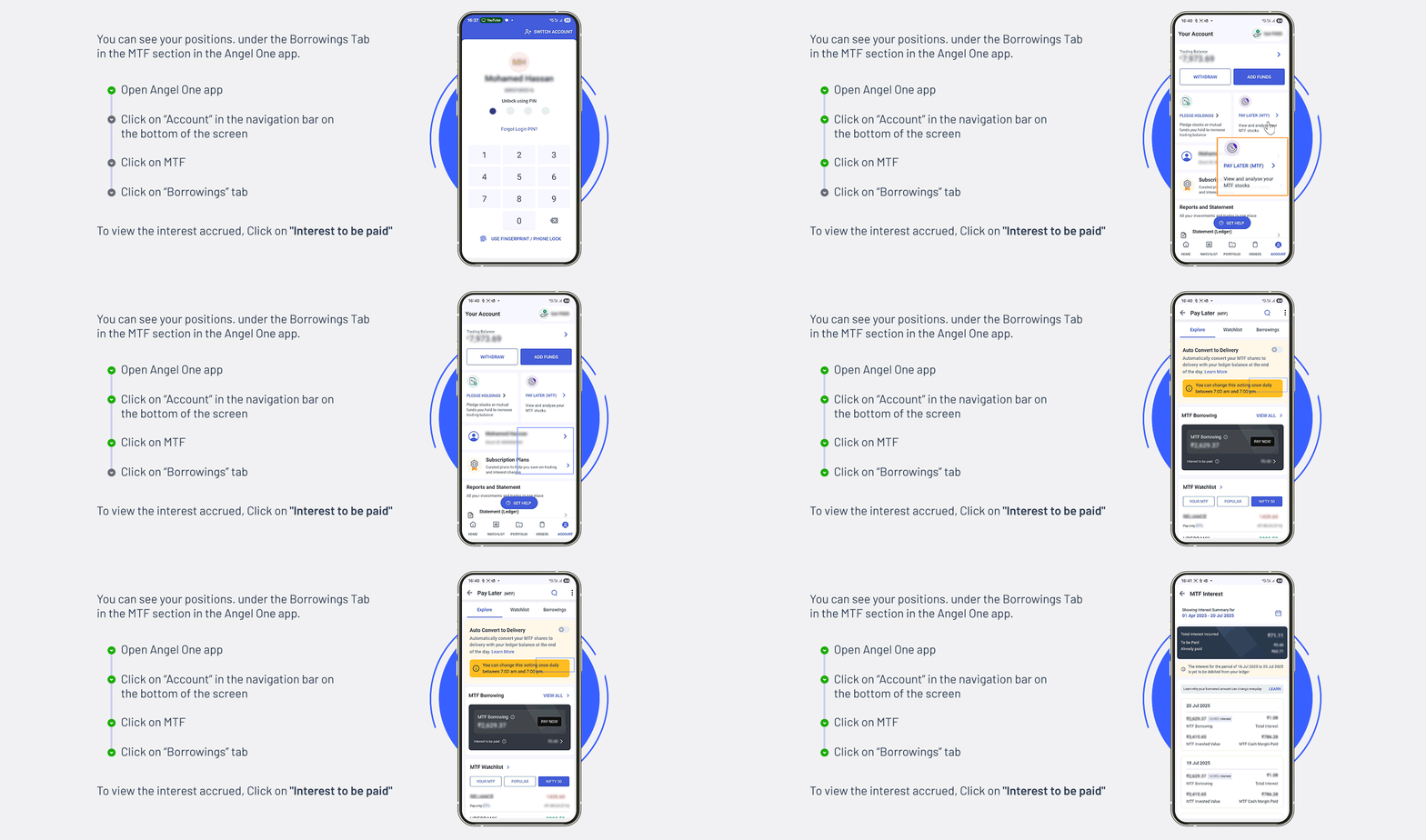
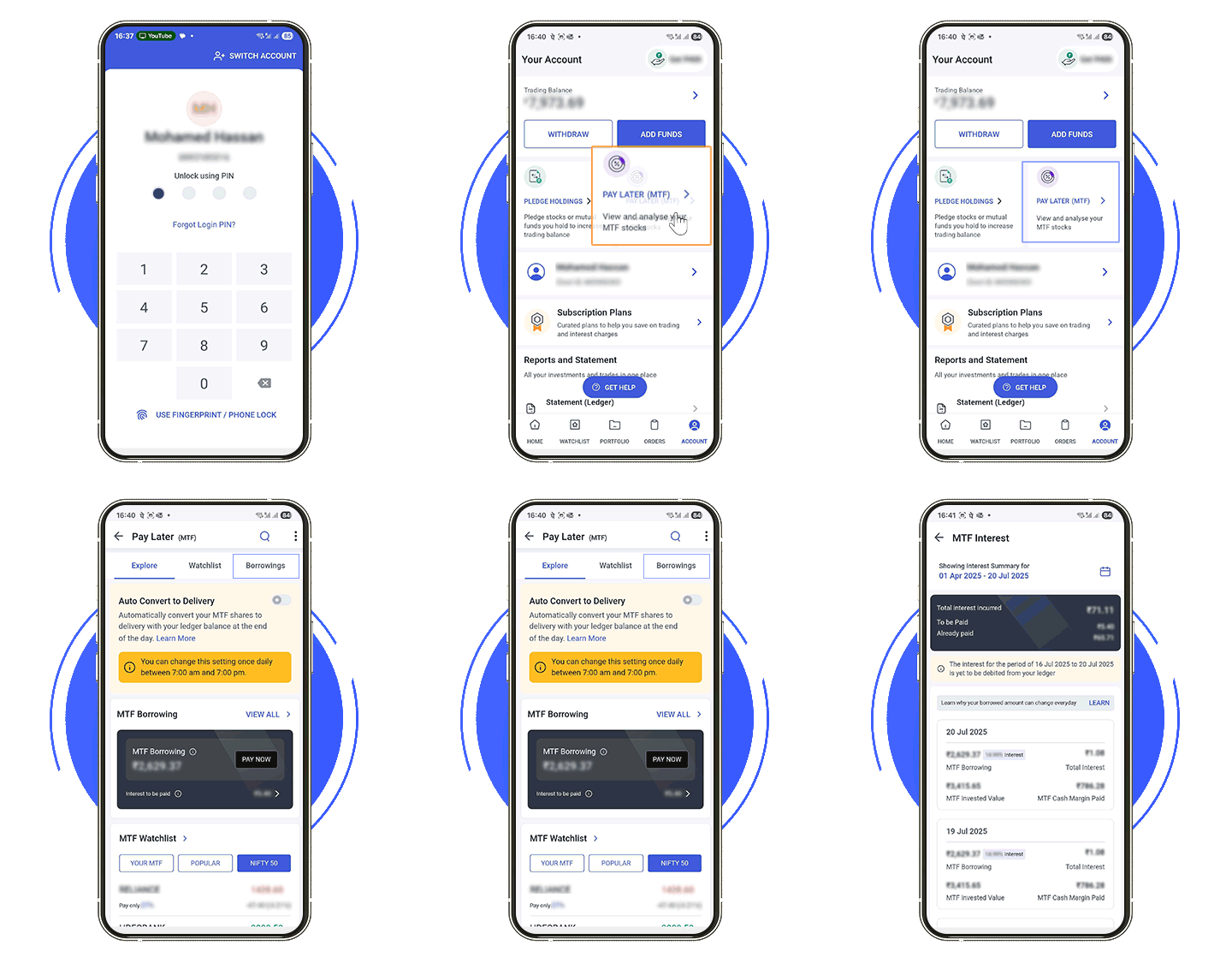
Click here to understand how interest is charged
FAQs
1. How to check if my MTF segment is activated?
2. Navigate to Account >> Click on your name.
3. Scroll down to the MTF section. If the status is marked as “Active," the segment is activated. Otherwise, follow the next steps to activate it.
2. How is the interest calculated?
For example: if you bought the shares on 1st January, hold it for 10 days and sell it on 11th January, interest will be charged from 1st to 10th Jan on the borrowed amount.
3. How long can I hold the position in MTF?
4. In which segments are MTF allowed?
5. What is Mark-to-market (MTM) loss?
6. What should I do when I get notified about MTM Loss?
7. How buy shares using MTF without using cash?
1. Open the Angel One app
2. Click on “Account” in the navigation bar on the bottom of the screen
3. Click on “Pledge Holdings”
4. Select the stock and click on “Proceed to Pledge”
5. Complete OTP Authentication
The amount will be available in your account in a few minutes and you can use it to place a trade using MTF.
8. What are pledge and unpledge charges?
For each such pledge and unpledge request, charges are applicable.


-order__Trial_HTML.gif)
-order=mobile.gif)
.gif)
-Trial_html.gif)