


Now you can apply for buyback directly from the Angel One app — no need to mail or fill out forms manually.
Follow these simple steps to complete your buyback process smoothly.
- Where to Find the Buyback Option
Go to the Portfolio section → tap on Overview → under the Tools section, you’ll find the Buyback option.
.jpg)
- View Open Buybacks
After clicking the button, you’ll see a list of all open buybacks.
.jpg)
- Check Details & Apply
Tap on any buyback to view its details.
.jpg)
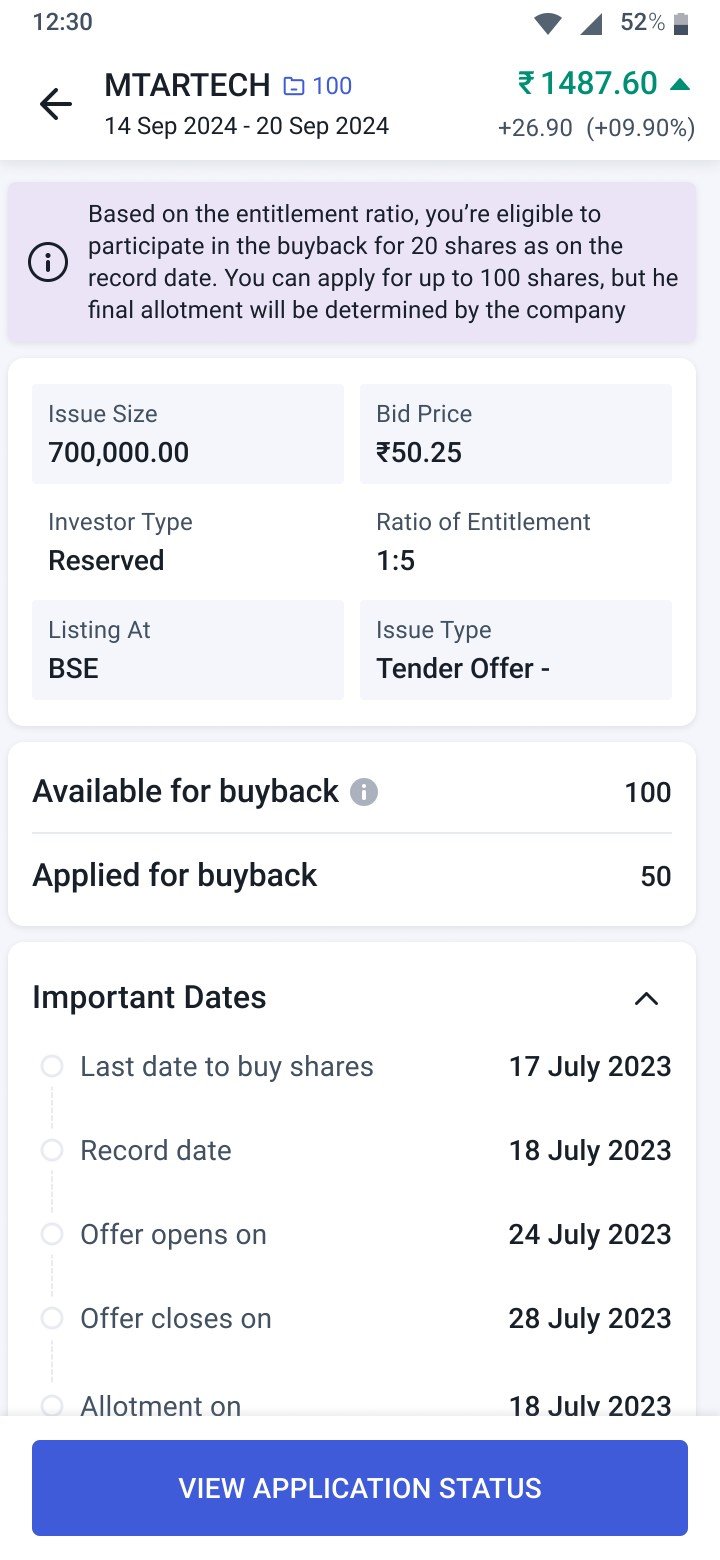
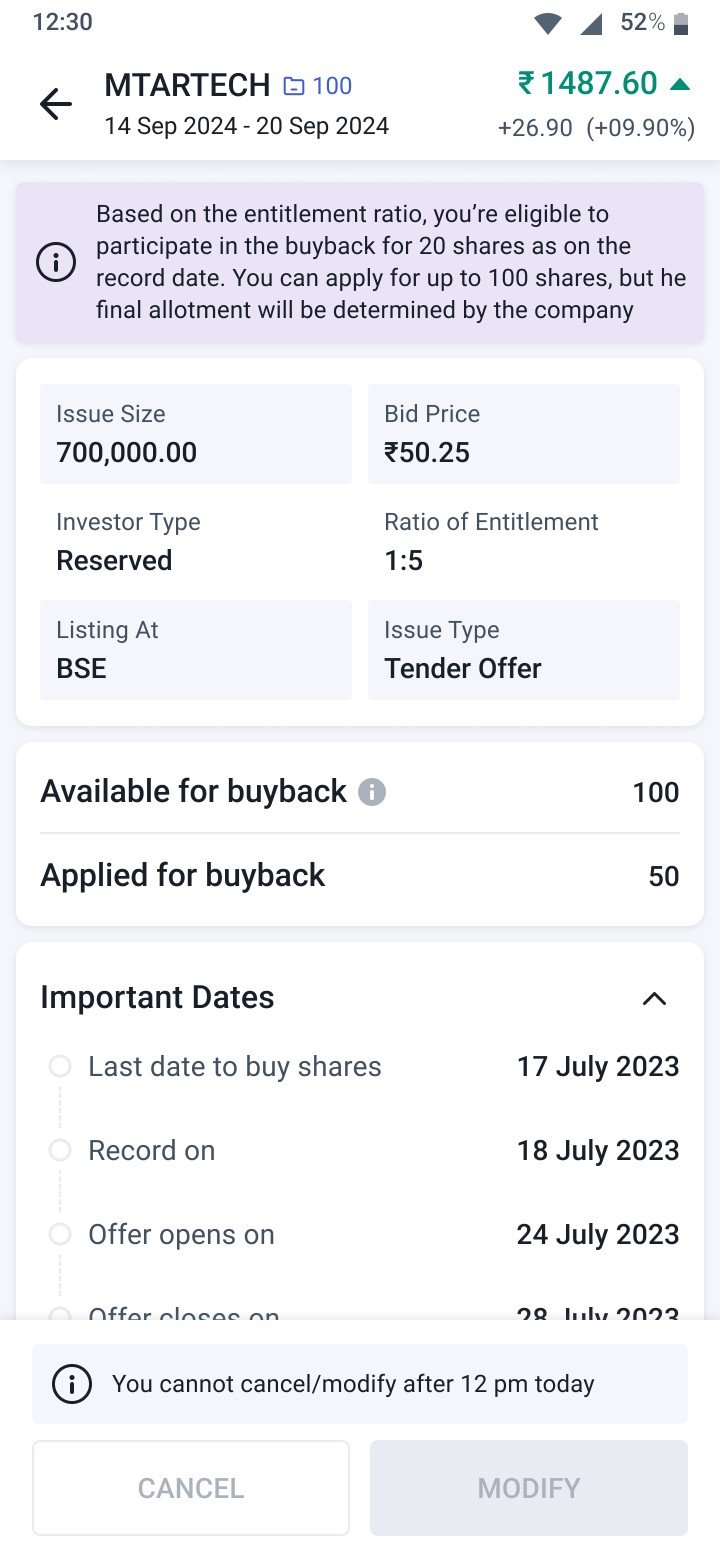
On the detail page, you’ll find key information such as Issue Size, Bid Price, Entitlement Ratio, Exchange (Listing), Issue Type, and Important Dates.
You’ll also see the ‘Available for Buyback’ quantity, which shows the total maximum number of shares you can apply for. It is the total quantity you hold as of record date.
Tap the “i” icon to view the detailed quantity breakup.
.jpg)
- Eligibility
Eligibility depends on whether you had any shares in your demat account as of the record date. Shares bought on the record date, is not considered.
If you’re not eligible, the ‘Apply for Buyback’ button will be disabled.
.jpg)
- Applying for Buyback
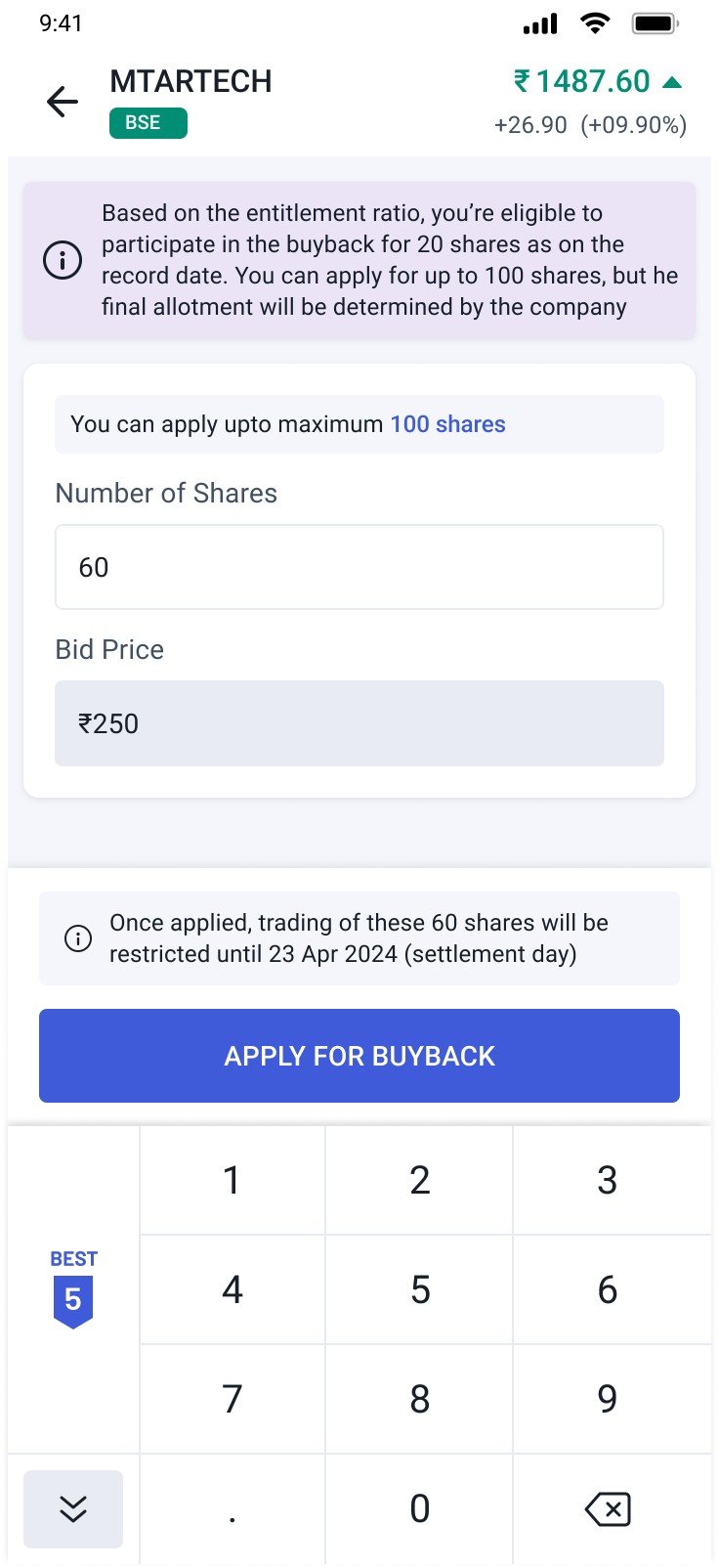
When you click Apply for Buyback on the detail page, an order pad will open.
Enter the quantity of shares you want to apply for, and then click Apply again to confirm.
- Every buyback has an entitlement ratio, which decides how many shares you’re eligible to tender.
- You can still apply for up to the total shares (settled) you held on the record date.
- However, if the shares are pledged, you need to unpledge before applying. You can only apply with the free qty.
- Final no of shares to be allotted will be decided by the company
Example 1:
If the entitlement ratio is 1:2 and you hold 100 settled shares that are all free, your eligible quantity will be 50 shares.
You may place a bid for up to 100 shares, but the final acceptance will depend on overall investor participation and the company’s decision.
Example 2:
If the entitlement ratio is 1:2 and you hold 100 settled shares, out of which 60 are free and 40 are pledged, your eligible quantity remains 50 shares.
However, if the 40 pledged shares are not unpledged on the application day, you can apply for only 60 shares. The final accepted quantity will still depend on the total participation and the company’s decision.
6. TPIN Verification & Bid Placement
- After entering the quantity and confirming your buyback, you’ll be redirected to the CDSL page for TPIN verification (if DDPI is not active).
- Once TPIN verification is successful, your buyback bid/order will be accepted. The final bid confirmation will be based on the successful early payin of the shares.
- The shares you applied for will then be blocked until settlement — whether the buyback is successful or not. You won’t be able to sell or pledge those shares till settlement date
.jpg)
Once a bid is placed and the early pay-in is successfully completed, the earmarked shares cannot be reversed for that buyback bid. After obligation matching on the buyback settlement day, the shares will either be released (if not accepted) or marked as accepted for buyback
7. Checking Application Status
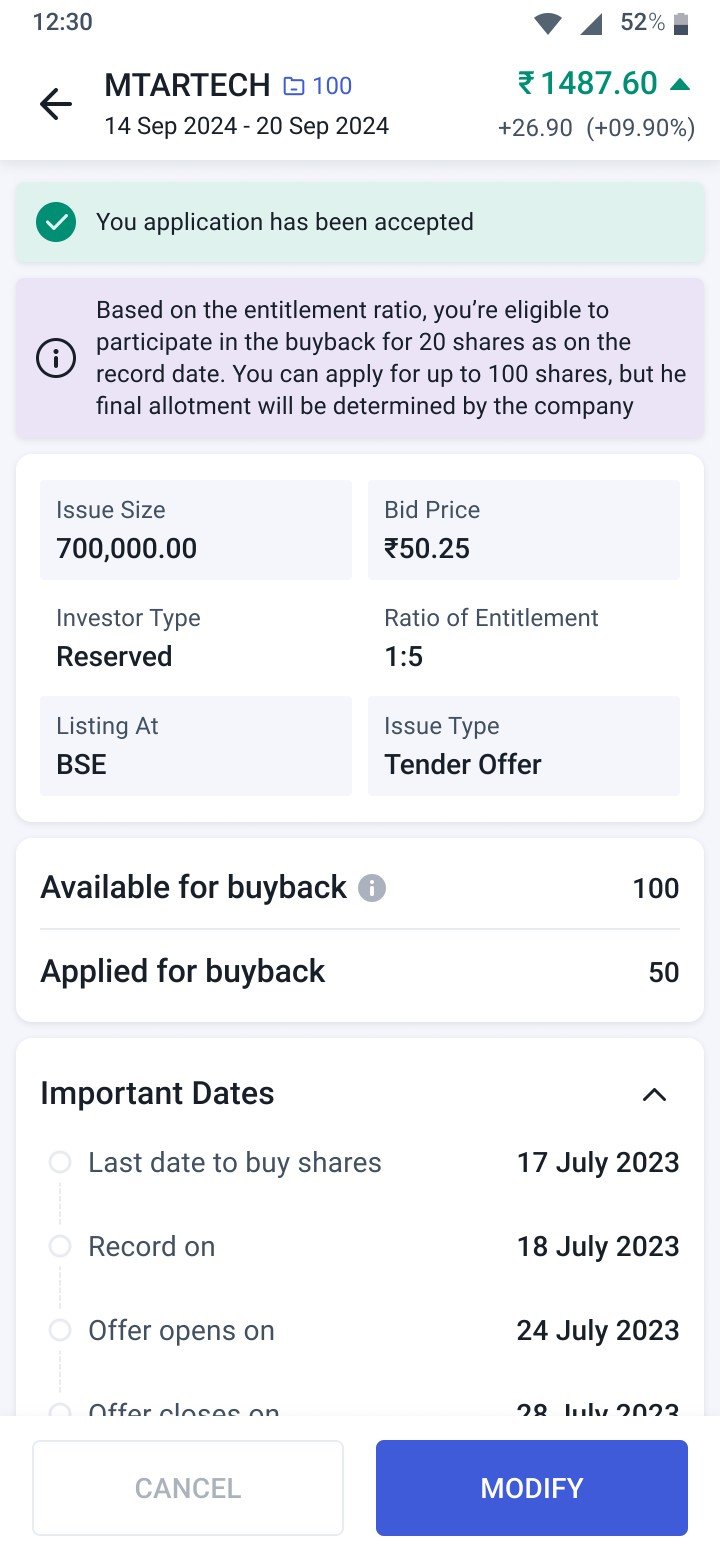
Go to View Application Status to check your bid/order details, current bid/order status, and application details.
8. Modify or Cancel
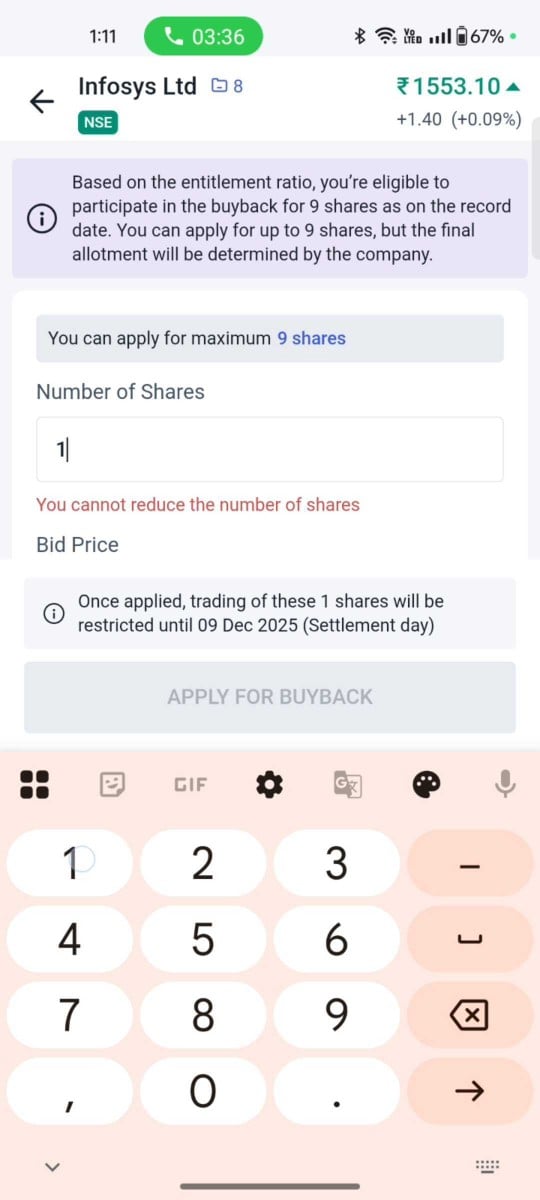
You can modify the buyback and increase the quantity of your buyback application but cannot decrease
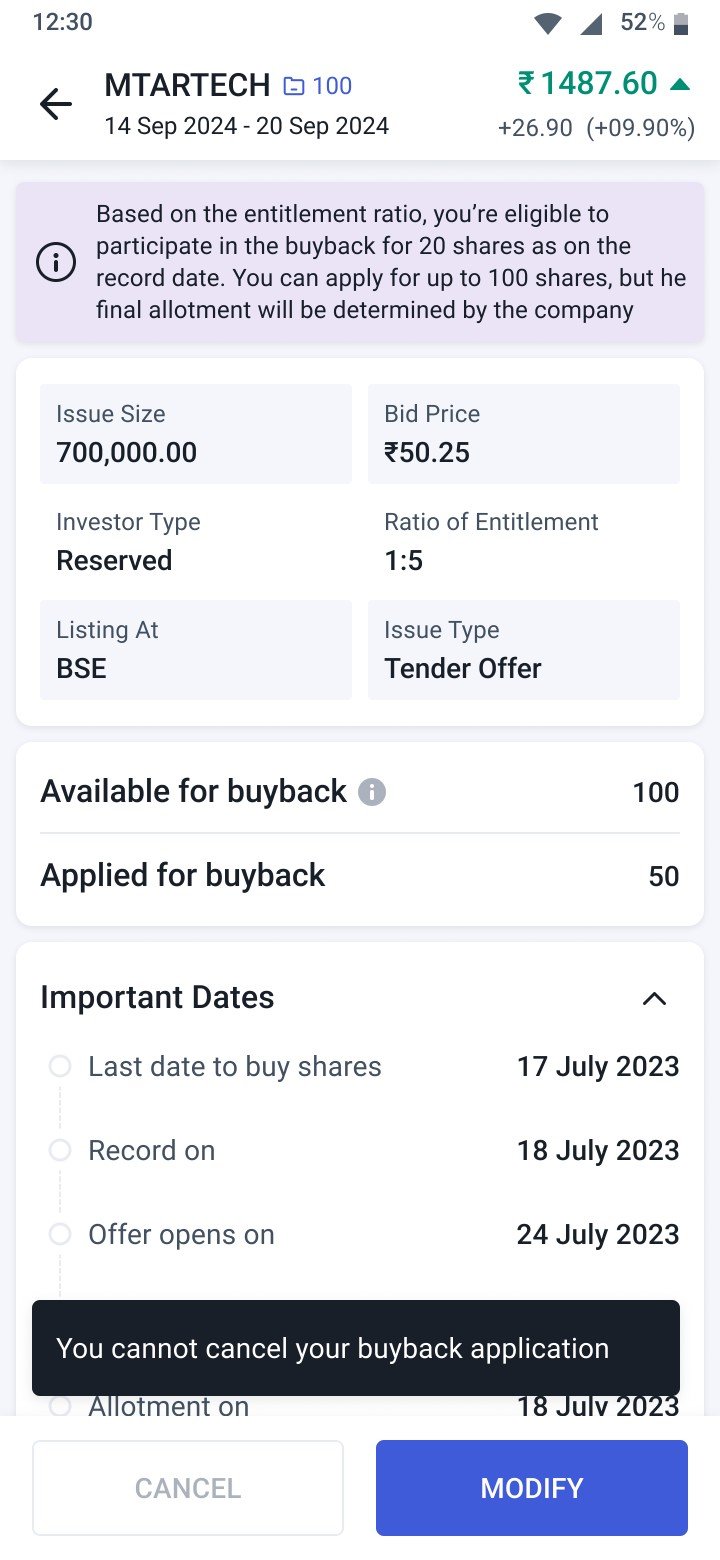
Currently, cancellation is disabled, so please apply only if you’re sure, as you won’t be able to cancel your buyback request later.
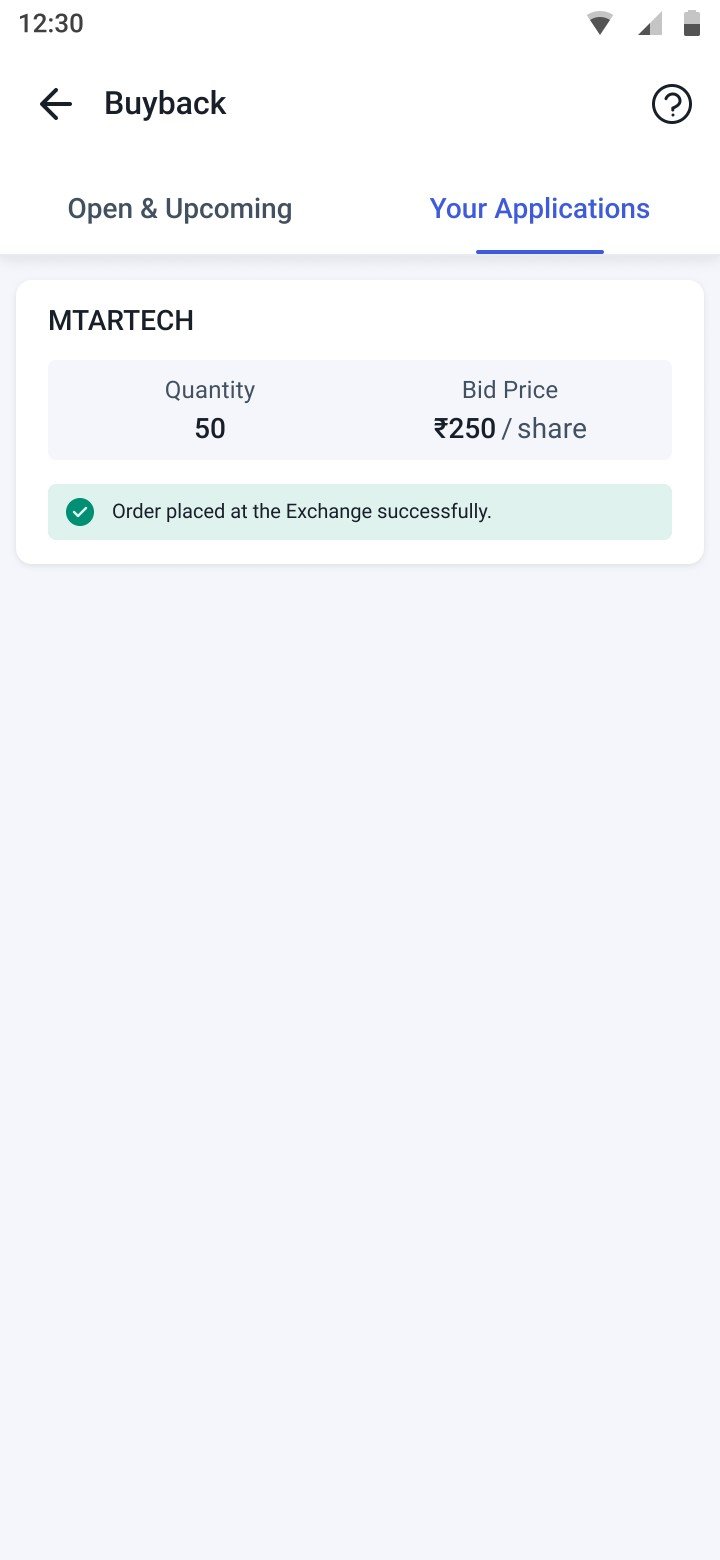
9. View Applied Buybacks
All your applied buybacks will appear under the Your Applications.
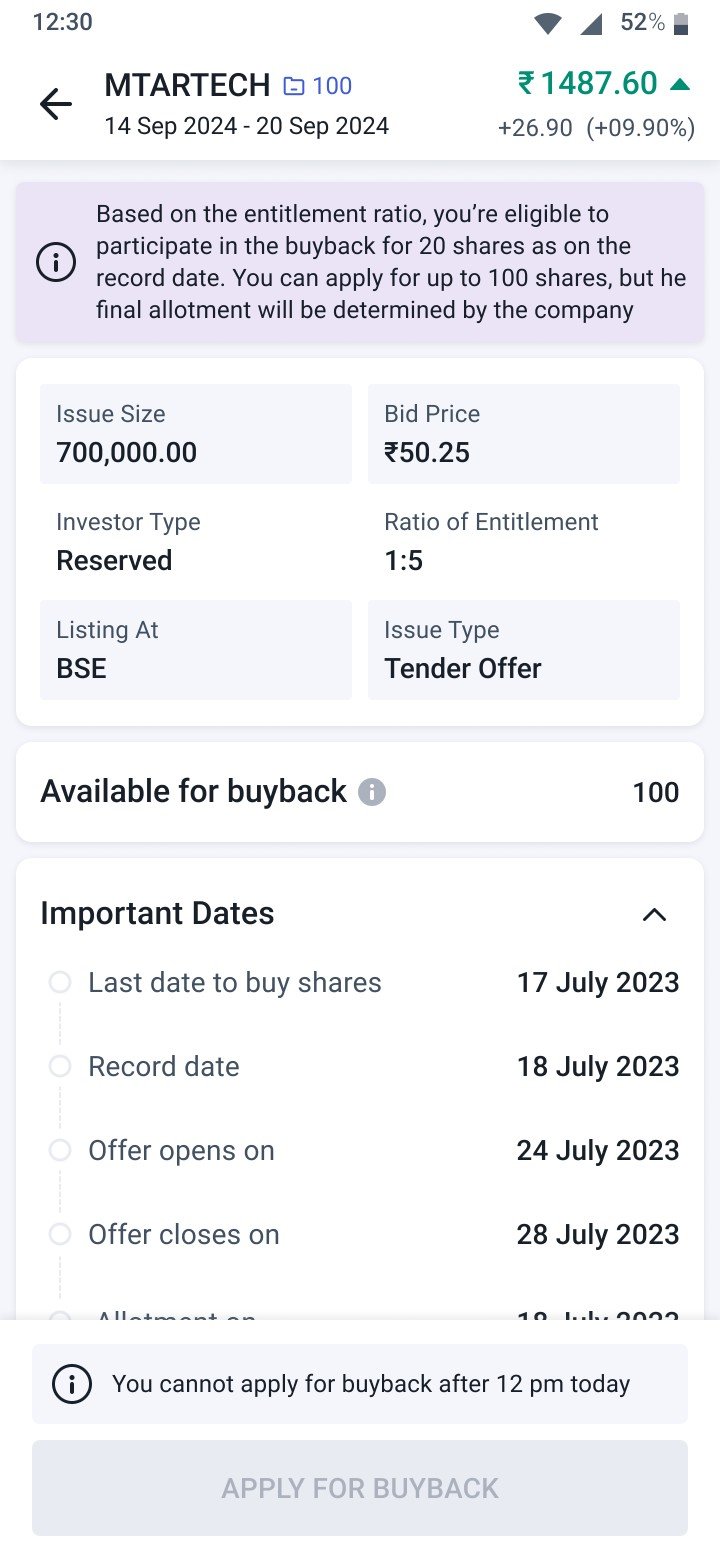
10. Cut-off Time
On the last day of the buyback, you can apply or modify your application only till 12 PM. After that, the window will close.
11. Important Notes
- Once you apply for buyback, your shares will still appear in your portfolio, but you can’t sell them as they are blocked for buyback. Any sell order for those shares will be rejected.
From the next day, they’ll appear under Blocked Quantity until settlement. - If you’re planning to sell some shares and apply for the same company’s buyback on the same day, please apply for buyback first.
- If your shares are pledged, you can’t apply for buyback with those shares on the same day - the request will be rejected. You need to release the shares from the pledge and try again to place the bid request.
- Avoid pledging shares that you’ve already applied for buyback. The pledge will not be successful in such cases.
- If you hold the company’s shares in a secondary DP ID and wish to participate in its buyback, please connect with the customer support team.
